

SIRE 2.0 inspection readiness & intelligence

Prepare Intelligently. Perform Confidently.

Your PIQ and HVPQ, past SIRE reports, company SMS and the SIRE 2.0 question library in one platform, so ship and shore prepare from the same picture.

Question library The full SIRE 2.0 library, filtered to your vessel 385
On board Runs on the ship's own computers, no connection needed Offline
The problem

SIRE 2.0 preparation shouldn't run on spreadsheets and memory.

SIRE 2.0 looks at hardware, people and processes, with a question set built for each vessel. Most teams still prepare with binders, shared drives and email, and the same problems come up on every ship.

  • Time-consuming preparation

    Crews try to cover hundreds of questions with no clear view of which apply to their vessel or which matter most.

  • Scattered documents

    Certificates, procedures, records and photos sit across binders, drives and inboxes, so evidence is hard to find when the inspector asks.

  • Inconsistent vessel information

    Details that differ between the PIQ, the HVPQ and the ship's own records undermine confidence before the first question.

  • Repeated observations

    Findings from past inspections aren't tracked to close-out, so the same observations come back.

  • Crew readiness gaps

    Officers and ratings aren't always prepared for the questions their rank will be asked.

  • Limited fleet visibility

    Superintendents and vetting managers can't see how ready a vessel is until the inspection report arrives.

Features

Everything SIRE 2.0 preparation needs, in one platform.

From the first document upload to the morning the inspector boards, Oltre covers the vessel, the crew and the office.

01–03 / 12
01

AI-assisted document extraction and review

Upload PIQs, HVPQs, past SIRE reports and certificates. Oltre pulls out the key details for your team to review and confirm, so nothing is retyped.
02

PIQ/HVPQ review, validation and comparison

Complete the PIQ chapter by chapter, validate mandatory fields and compare it with the HVPQ. Conflicts are flagged, resolved and verified by rank, and the PIQ exports as a PDF.

03

Vessel-specific question applicability

Oltre filters the SIRE 2.0 question library by vessel type and PIQ data, so the crew sees only the questions that apply, labelled core, rotational, campaign or conditional.

04

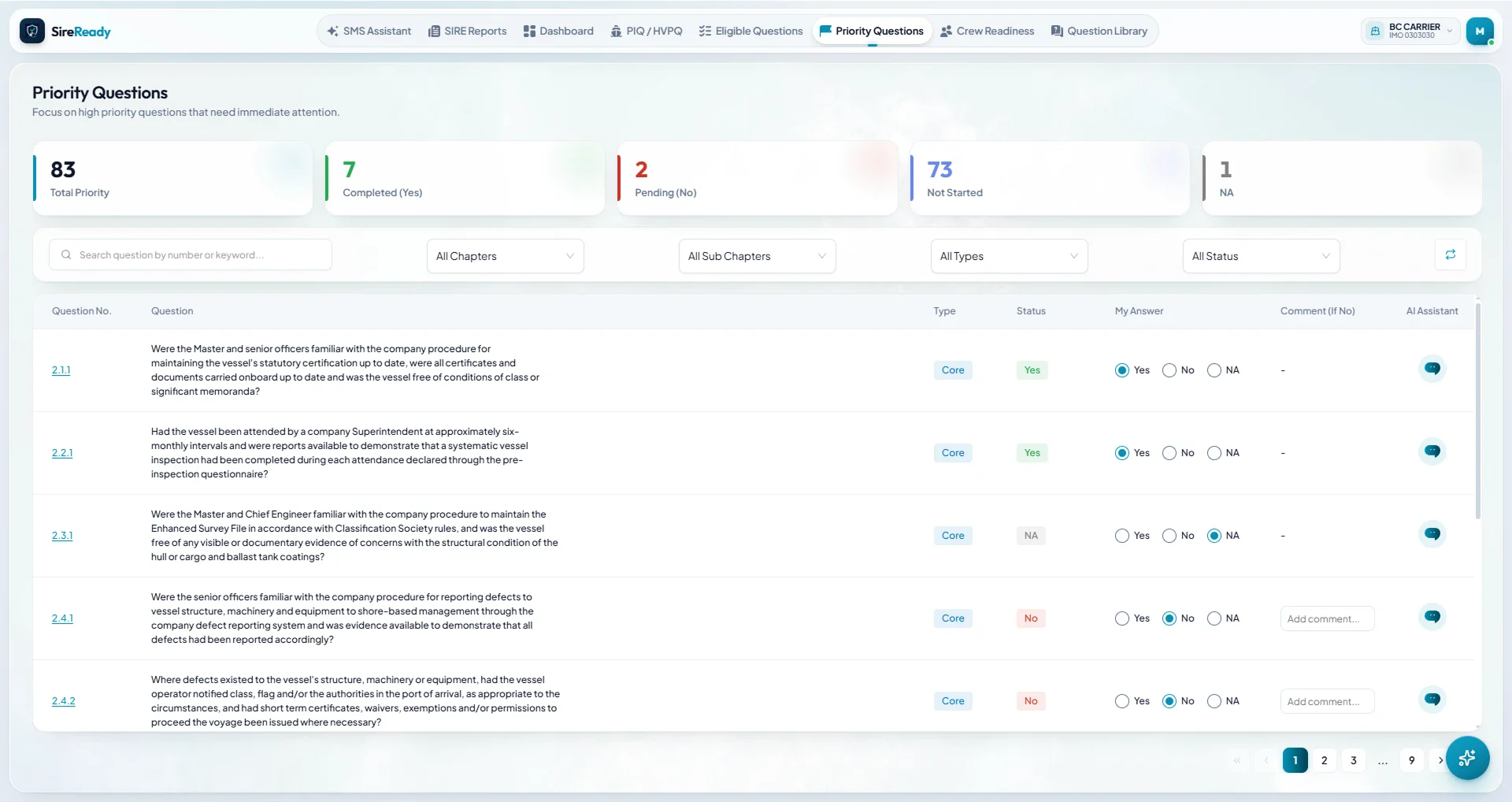
Explainable preparation priorities

A rule-based engine ranks the questions that need attention first and shows why each one is on the list. The same data gives the same list on every workstation.

05

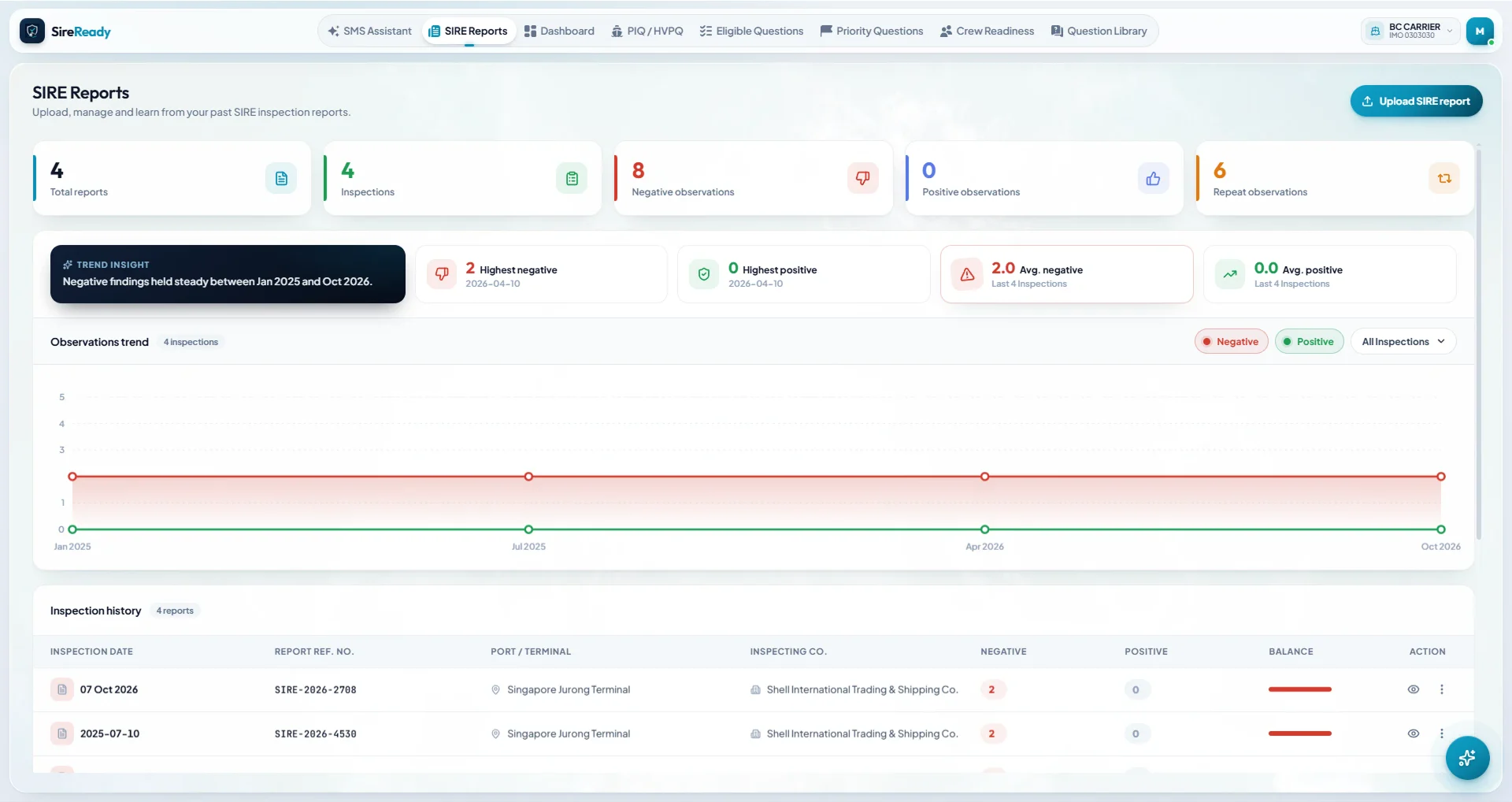
Previous SIRE report analysis and repeat observations

Upload past inspection reports to count negative, positive and repeat observations, see the trend across inspections, and carry the lessons into this one.

06

Corrective and preventive action review

Follow the actions raised against past observations through to close-out, so the same findings don't come back.

07

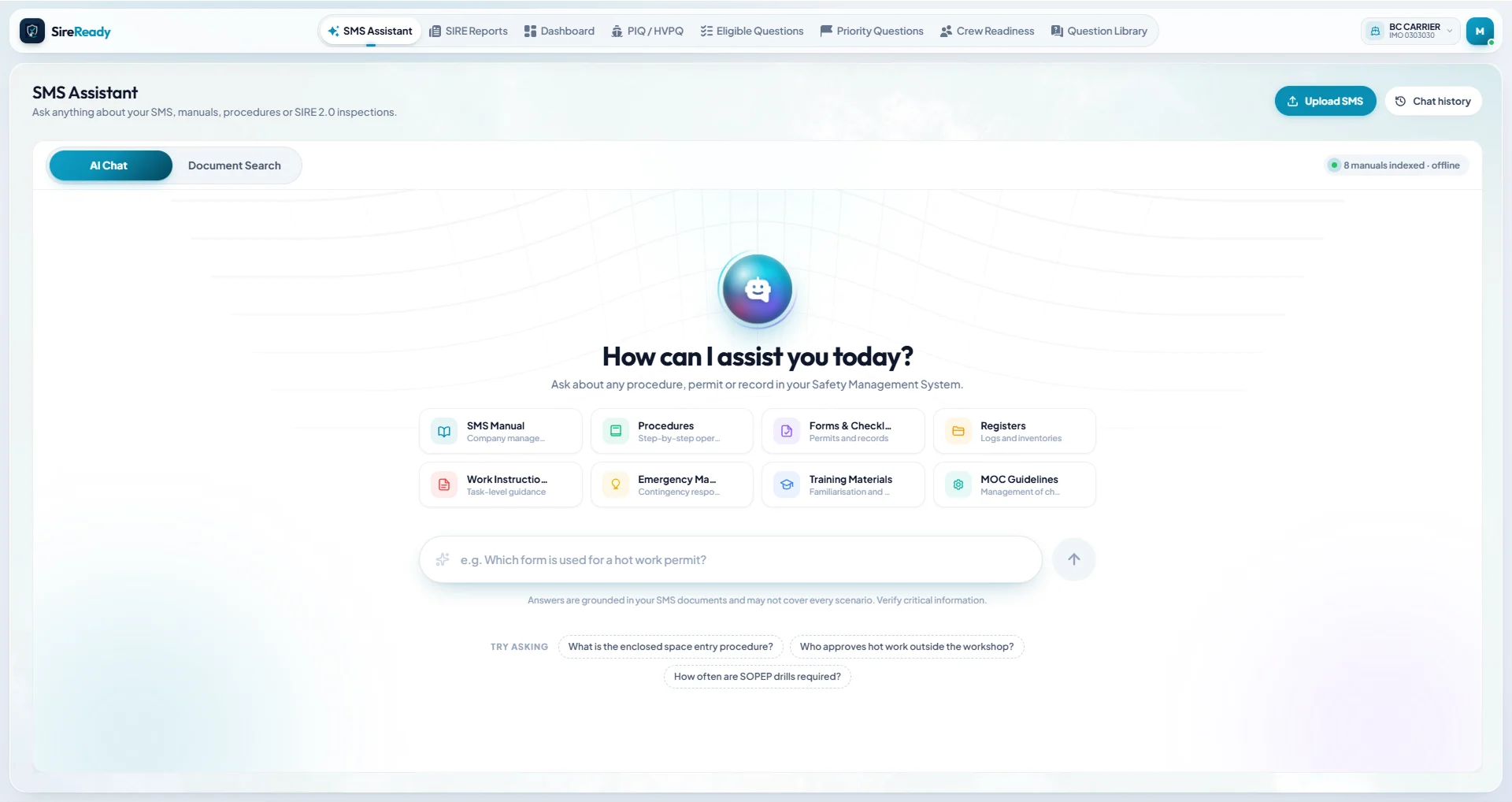
Company SMS assistant with document and page references

Ask a question in plain language and get an answer from your own SMS, with the document and page it came from.

08

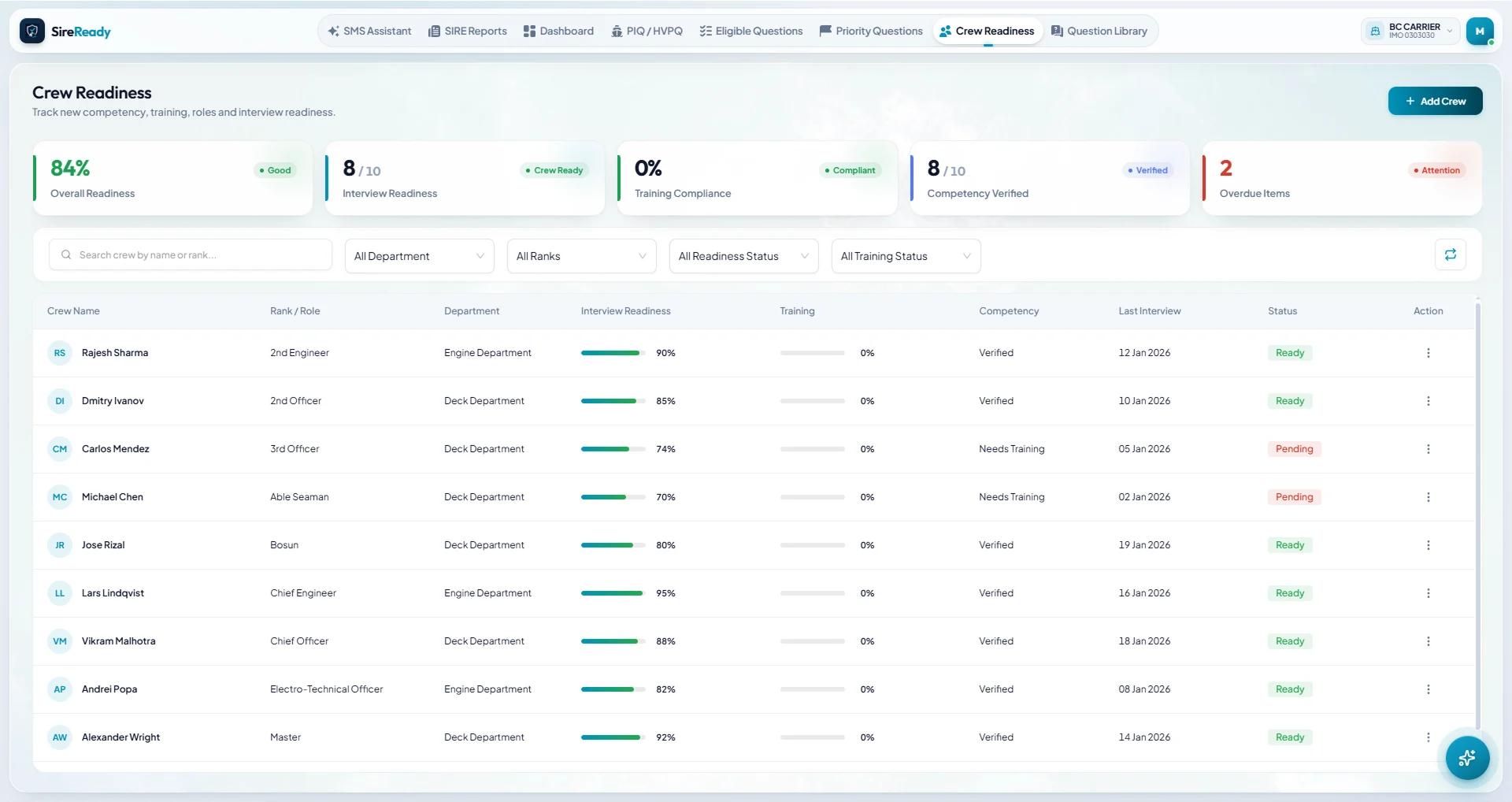
Rank-specific crew preparation

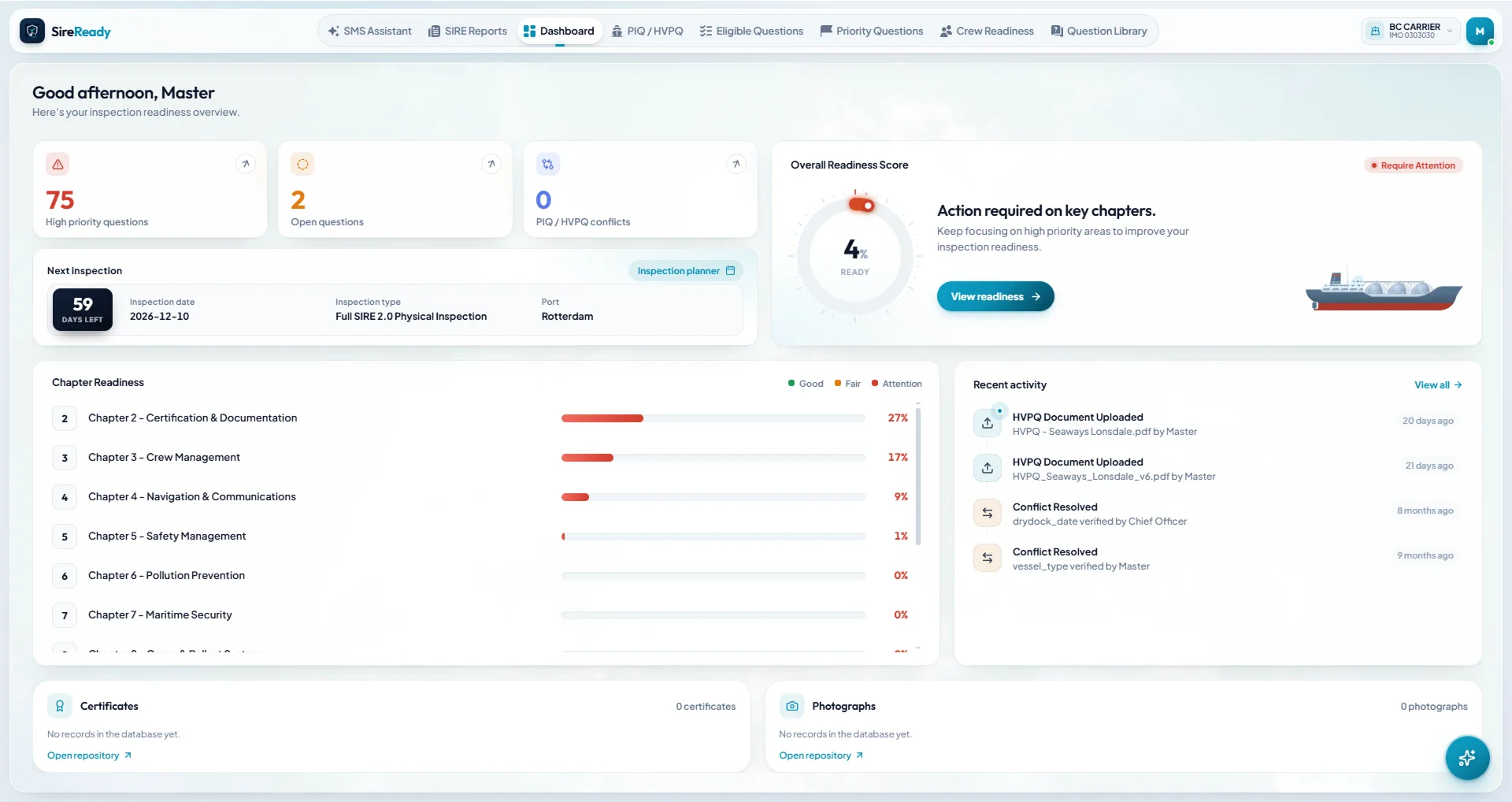
Each officer sees the questions for their rank and role, and the Master tracks interview readiness, training and competency across the crew.

09

Evidence and photo management

Attach certificates, records and photographs to the questions they support, so evidence is ready when the inspector asks.

10

Certificate expiry monitoring

Keep every certificate in one register and see which ones expire before the inspection.

11

Readiness dashboards and fleet analytics

A readiness score by chapter on board, and a fleet view ashore comparing vessels, open items and repeat findings.

12

Offline onboard operation

Everything runs on the ship's own computers, including the SMS assistant, and syncs with shore when a connection is available.

How it works

From set-up to inspection day in four steps.

Works offline throughout, and syncs with shore whenever a connection is available.

  1. Step 01

    Set up the vessel

    Install Oltre on the Master's PC and the officers' workstations, then create an account for each rank.

  2. Step 02

    Load your documents

    Upload the PIQ, HVPQ, past SIRE reports, certificates and company SMS. Oltre extracts the key details for your team to check.

  3. Step 03

    Prepare by priority

    Oltre works out which questions apply and ranks what to prepare first. Each rank works through its own list, with the SMS assistant and evidence to hand.

  4. Step 04

    Track and follow up

    The Master follows readiness chapter by chapter on board. Superintendents see the same picture ashore, along with corrective actions and certificate expiries.

Product tour

See Oltre in action.

A look at the screens your crew and office will use every day.

SMS assistant chat with document categories

Ask about any procedure, permit or record and get an answer from your own SMS, with the document and page it came from.

Versions

One platform. Three versions.

Oltre connects the ship, the office and the team that supports them.

Shore

Superintendent Version

For superintendents, marine managers and vetting managers ashore.

See readiness across your vessels: chapter scores, open questions, repeat observations, corrective actions and certificate expiries, updated each time a ship syncs.

Support

Support/Admin Version

For the Oltre support team and company administrators.

Manage companies, vessels, licences and users, and send SIRE 2.0 question library updates to every ship.

Who it's for

Built for tanker operators, on board and ashore.

Owners and operators of oil tankers, chemical tankers and gas carriers.

On board

Masters

A ship-wide readiness score, rank accounts for the crew and a countdown to the inspection.

Every officer and rating on board prepares through the Ship Version.

  • Chief Officer
  • 2nd Officer
  • 3rd Officer
  • Engineers
  • Ratings
Ashore
  • Superintendents

    Each vessel's readiness and open items ashore, well before the inspection.

  • Marine managers

    Readiness, repeat findings and corrective actions compared across the fleet.

  • Vetting managers

    Inspection history, repeat observations and preparation status ahead of each SIRE 2.0 inspection.

  • HSEQ teams

    Answers traced to the company SMS, corrective and preventive actions, and trends from past reports.

Benefits

One readiness picture for ship and shore.

01

More focused preparation

Time goes to the questions that apply to the vessel and need attention, not the whole library.

02

Clearer responsibilities

Every rank knows which questions are theirs, and the Master can see who is ready.

03

Easier evidence retrieval

Procedures, certificates and photos sit with the questions they support, one search away.

04

Better follow-up

Observations and corrective actions are tracked to close-out, so they don't repeat.

05

A shared readiness picture

The ship and the office see the same readiness data, chapter by chapter.

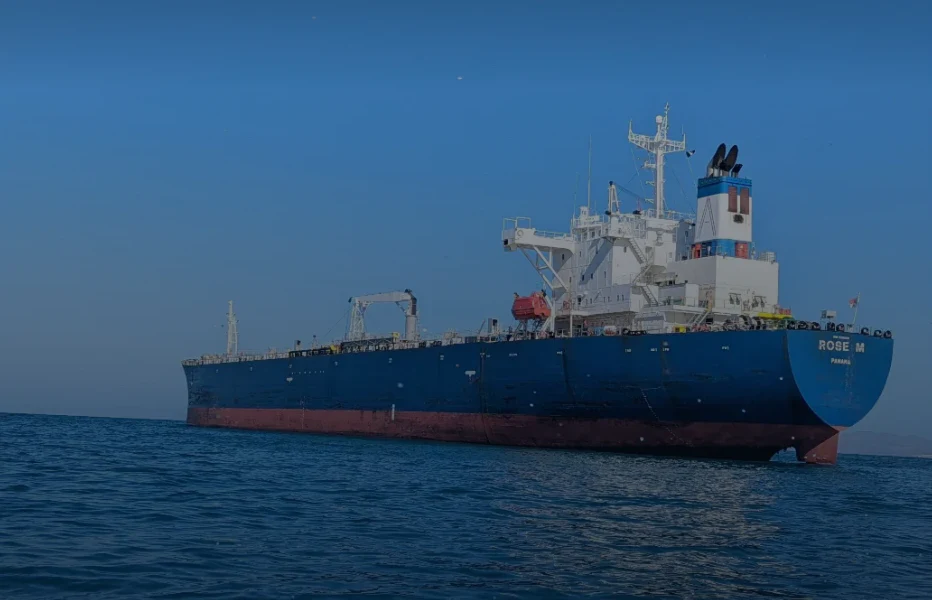
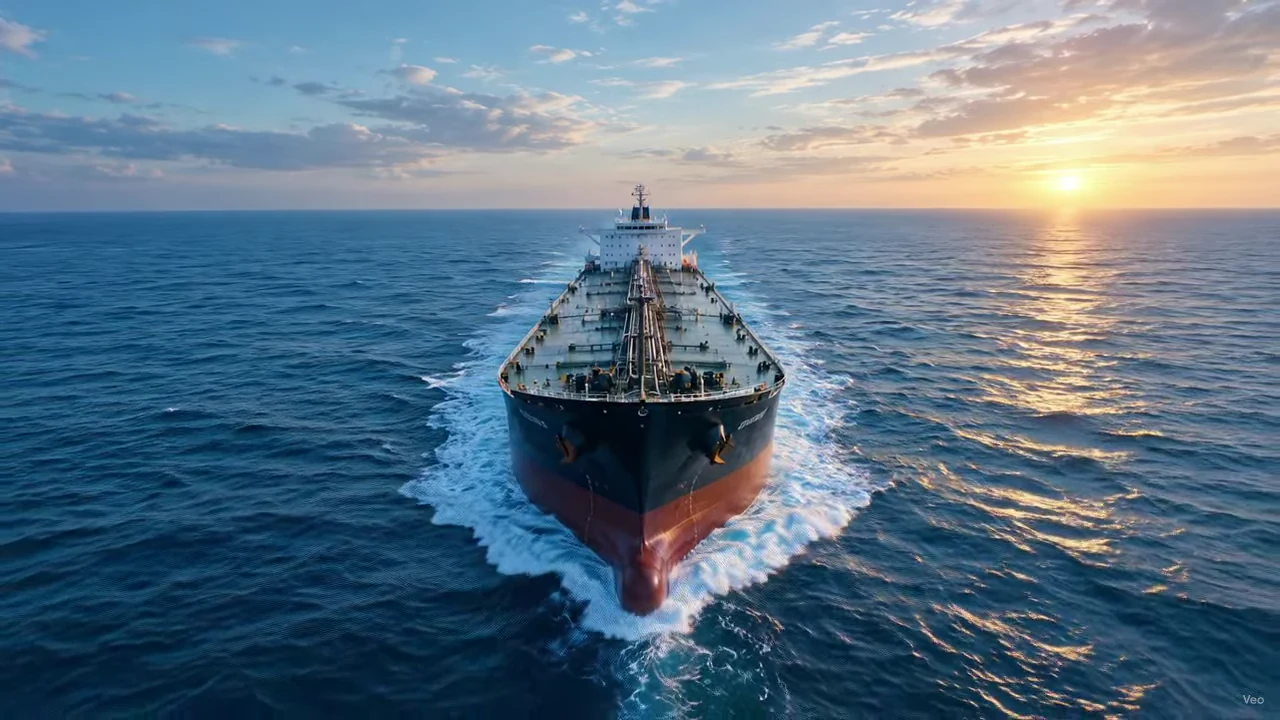
An oil tanker under way on open sea at sunset
Designed from the start to work at sea.
About us

Built by people who have faced the inspection.

Oltre Marine Pvt Ltd builds inspection readiness software for tanker operators.

SIRE 2.0 changed what an inspection looks at, but the way crews prepare hasn't kept up. Preparation still runs on spreadsheets, binders and memory, often on ships with little or no internet. We built Oltre to give ship and shore one place to prepare, designed from the start to work at sea.

Founder name [TBC]

Title. One line on maritime background: ranks held, years at sea, vetting or inspection roles.

Founder name [TBC]

Title. One line on background.

FAQ

Questions from ship and shore.

Can't find what you need? Ask us on a demo call.

Does Oltre work without an internet connection?

Yes. The Ship Version runs fully offline on the vessel's own computers, including the SMS assistant. It syncs with shore whenever a connection is available.

What do we need to install it?

A Windows PC for the Master and one for each officer who will use it. The Master's PC activates the vessel licence and pairs the other workstations over the ship's own network. Oltre is licensed per vessel.

How does Oltre work with our company SMS?

Upload your SMS manuals, procedures, forms and checklists, and Oltre indexes them on board. The SMS assistant answers only from those documents and shows the document and page each answer came from. When the SMS is revised, upload the new version.

Does Oltre replace our SMS?

No. Your SMS stays the controlled source. Oltre reads it to help your crew find the right procedure quickly.

Where is our data stored, and who can see it?

Vessel data stays on the ship's own computers. Data moving between ship and shore is encrypted, and every user signs in with a rank-based account set up by the Master.

How long does implementation take?

Our team guides you through installation, vessel and user set-up, and loading your PIQ, HVPQ, past reports and SMS. Typical timelines per vessel are confirmed during the demo.

What support do you provide?

Our support team manages licences and sends SIRE 2.0 question library updates to every vessel. Support channels and hours are shared when you sign up.

Can we use Oltre across our whole fleet?

Yes. Each ship runs the Ship Version, and the Superintendent Version brings their readiness together ashore.

Book a demo

Your next inspection is already on the calendar.

See Oltre with your own vessels in mind. We'll walk your team through the Ship and Superintendent versions, from the readiness dashboard to the SMS assistant, in a short live session.

  • Short live session, no install needed
  • Ship and Superintendent versions
  • Bring your own vessel questions

Or email us at [TBC: email]

Please enter your name.
Please enter your company.
Please choose a role.
Please enter a valid work email.
How many vessels?
Vessel types

We only use your details to arrange the demo.